MetaShare backend has been migrated to a newer framework, ASP.NET Core. This change gives us a better base to build on in the future and access to more modern libraries.
New features:
- Possibility to create blank Office documents. The New button is now shown to the user with the right permissions even when no Document template library was configured yet.
- Possibility to set, filter and display retention labels on documents in workspaces.
Improvements:
- When opening a document on a new device you will be asked whether it should open in the browser or app until you save a preference.
- Filter values are now sorted alphabetically in the ‘Workspaces’ and ‘Search for documents’ tabs.
- Workspace is no longer blurred when property pickers are opened from properties card. Page content outside of dialog becomes darker, but remains readable.
- Support for uploading files larger than 250MB.
- Support for opening SharePoint Agent files (.agent).
- Support for opening link files (.url).
- Favorite workspaces are now sorted by when they were marked as favorite, with the most recent first.
- When typing a date in a date field, year is now limited to 4 digits.
- Changed the Swedish placeholder text in the search box inside workspaces to “Sök i arbetsytan”.
- “Term store” link in settings now leads to SharePoint’s modern Term store interface.
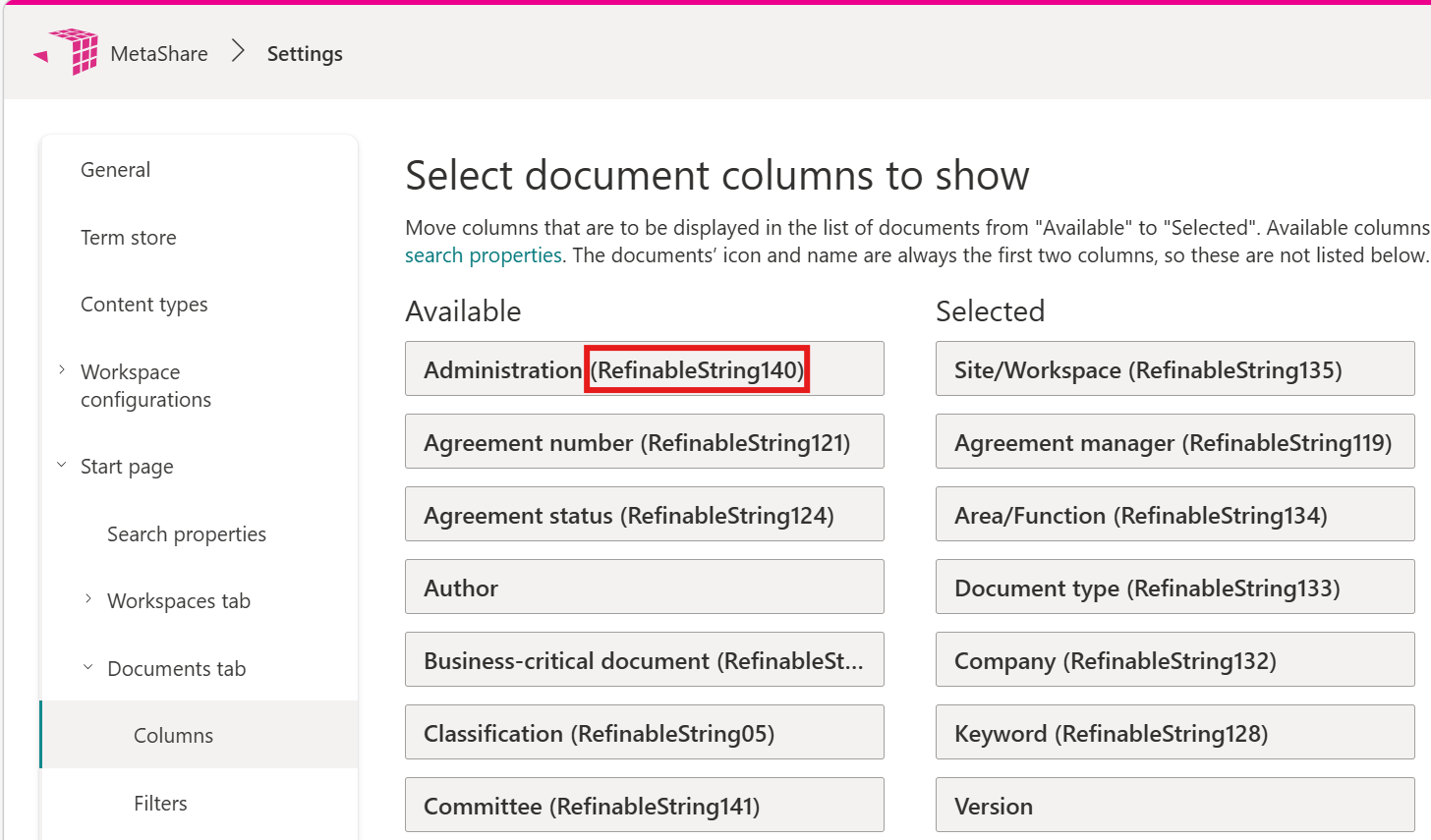
- Search properties are now listed with the managed property name in parenthesis, under Available and Selected when selecting columns and filters for Workspaces and Documents tabs, e.g. “Document type (RefinableString01)”.
Fixes:
- “Modified by” values from the file used as template are now removed when creating new documents. Previously, Office documents created from templates could have incorrect “Modified by” value displayed on “Search for documents” tab.
- Search now works correctly in folders with special characters in the name.
More about changes in this release
Creating blank Office documents.
- The New button is now always shown to the users with the right permissions even when no Document template library has been configured.
- These are the blank Office templates that always will be shown in the document template picker:
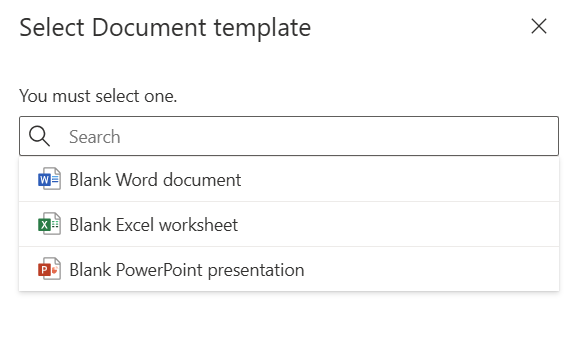
- If your MetaShare has a configured document template library and it already has custom templates, the 3 blank templates will always be shown at the bottom of the list of templates.
- These blank templates are for now not possible to be added as suggested templates.
Retention labels
It is now possible to to set, filter and display retention labels on documents in workspaces: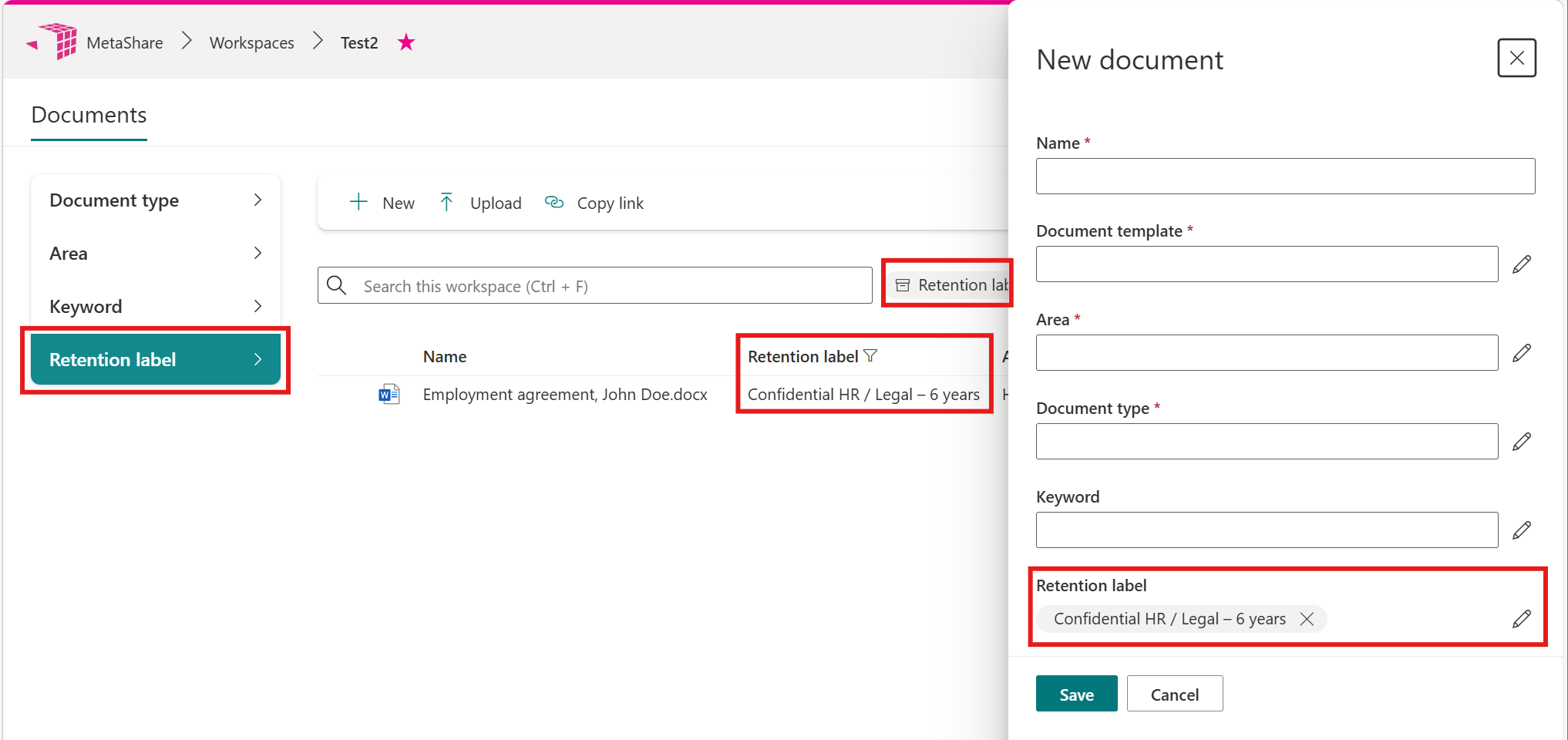
Opening documents for the first time
When opening a document of a certain type for the first time, on a new device, you will be asked whether it should open in the browser or in the app until you save a preference for that file type: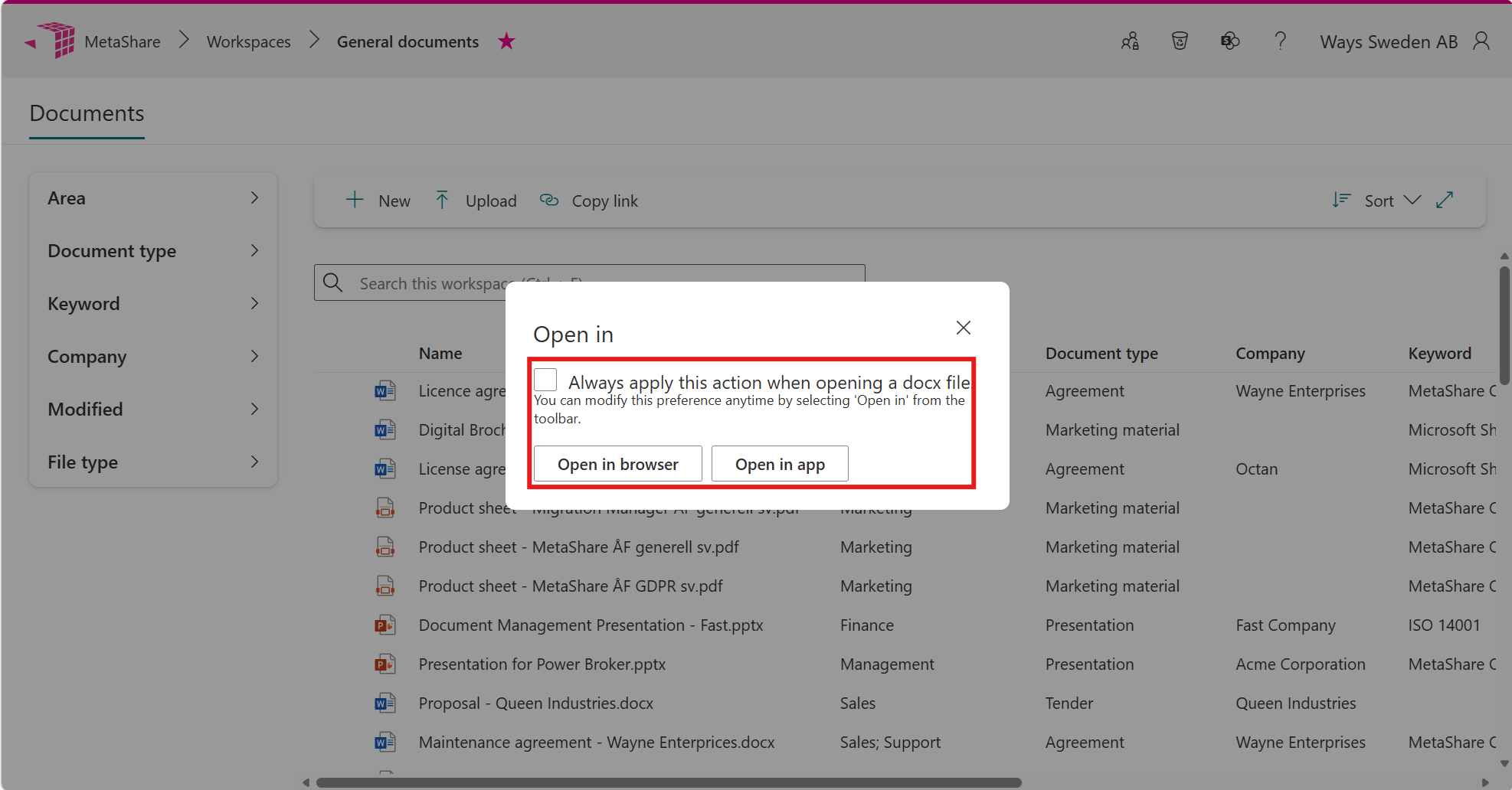
Alphabetically sorted filters
Filter values in the “Workspaces” and “Search for documents” tabs are now sorted alphabetically and not by relevance, as they were sorted previously: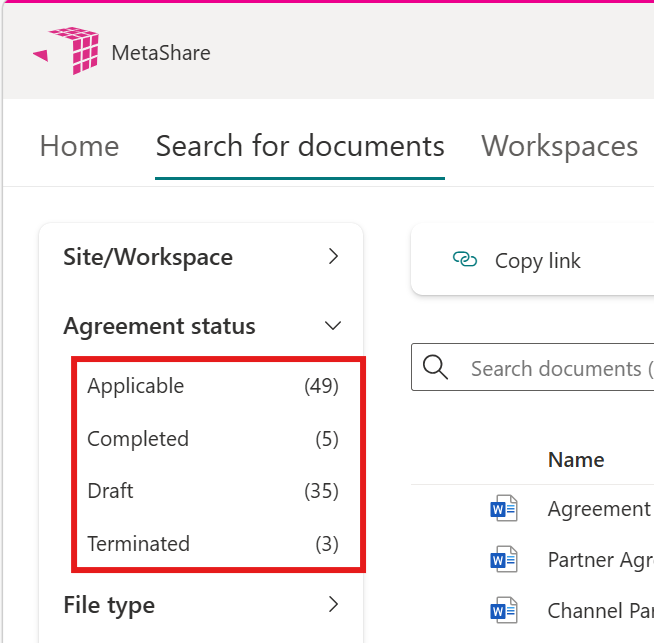
No blur when editing properties
Workspaces are no longer blurred when property pickers are opened from properties card. Page content outside of dialog becomes darker, but remains readable: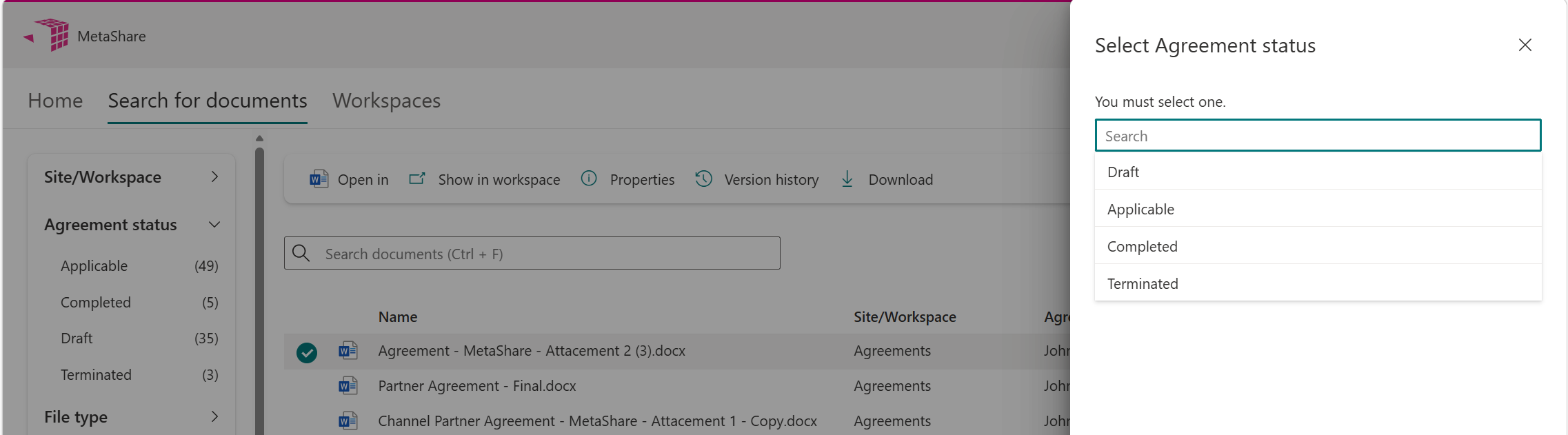
Changed search box placeholder
The workspaces’ search box placeholder text in Swedish was changed from “Sök denna arbetsyta” to “Sök i arbetsytan”: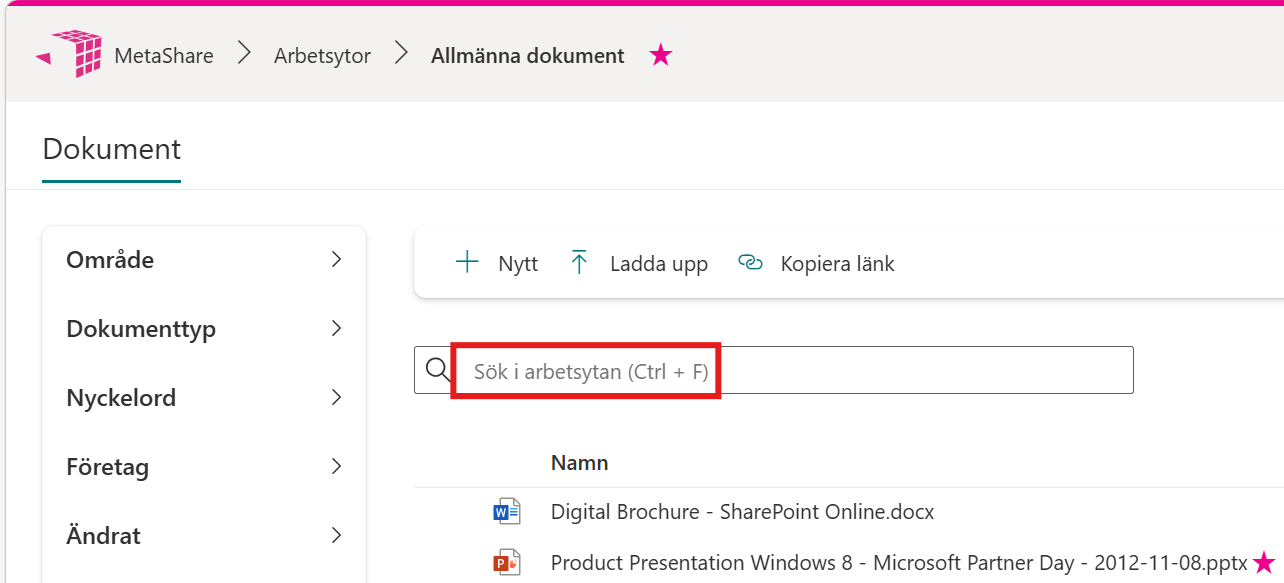
Improved search properties settings for administrators
Search properties in the settings pages for columns and filters in the “Workspaces tab” and the “Documents tab“, under the sections “Available” and “Selected”, are now listed with the managed property name in parenthesis, e.g. “Document type (RefinableString01)”: